I am facing the problem in which I need to display the SharePoint List Field in "Display" mode in List Edit Page. (This Problem works with SharePoint Default generated Page)
Step-1 : First of all please download the JavaScript file from here.
Step-2 : Add this JavaScript file in your project StyleLibrary.
Step-3 : Now Open your List Default Edit Page.
Step-4 : Find PlaceHolderMain tag. and after this tag insert you desired code as below:


If you have any doubt in this article feel free to mail me or comment here.
Step-1 : First of all please download the JavaScript file from here.
Step-2 : Add this JavaScript file in your project StyleLibrary.
Step-3 : Now Open your List Default Edit Page.
Step-4 : Find PlaceHolderMain tag. and after this tag insert you desired code as below:
<script type=text/javascript>
function MyCustomExecuteFunction()
{
     //to hide the field Title=Field Display Name
     SPUtility.GetSPField('Title').Hide();
     //enable to control in display mode
     SPUtility.GetSPField()

}
_spBodyOnLoadFunctionNames.push("MyCustomExecuteFunction");
</script>

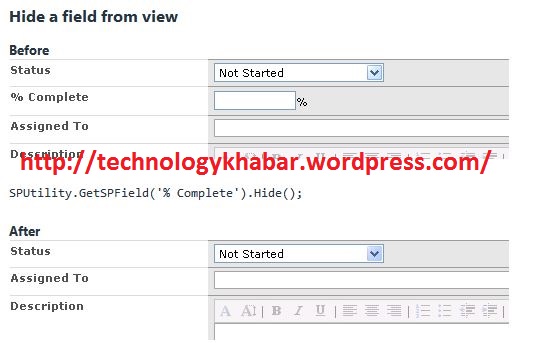
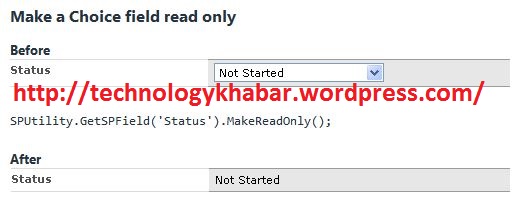
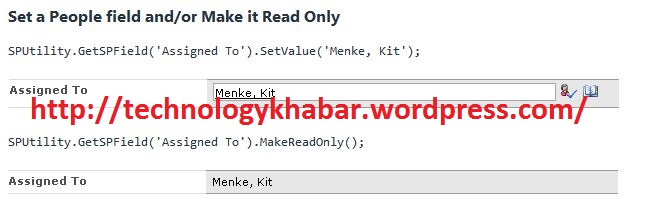
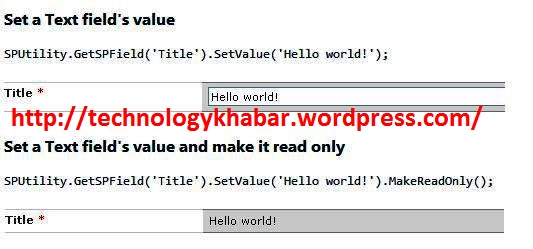
Other examples images are inserted below:
If you have any doubt in this article feel free to mail me or comment here.


